Thursday, April 24, 2008

Comparing two SPUser in SharePoint

Recently I was working on an EventHandler, Where I have to compare the User value in the Assigned To Field of the List with the other User value. Went down to Google and couldn't find exact code I am looking for, here is the exact code that will do this.


SPUser spUser = GetSPUserOne();

SPUser spPrevUser = GetSPUserTwo();

For Windows Authentication This will do


if(spUser.Sid.Equals(spPrevUser.Sid))

{

…..

}

For FBA you have to follow this


if(spUser.UserToken.CompareUser(spPrevUser.UserToken))

{

…..

}


Hope this helps someone like me

Monday, November 12, 2007

My First Blog Post from the Word 2007

Hello … This is the First Post I tried out with the Word 2007…. It really easy…

and It rocks… If you want to give it a try ..

Follow the links below

http://office.microsoft.com/en-us/word/HA101640211033.aspx

Happy Blogging !!!!!!!!!

Friday, October 5, 2007

ASP.NET 2.0 AJAX InlineEditLabel Control

Try out the New Control

ASP.NET 2.0 AJAX InlineEditLabel Control

Office SharePoint Server Deployment Plan sample

Ever wished you just had a sample project plan that you could then modify for your own use? I’m sure this comes up on occasion.

refer to this link
moss mpp

Thursday, October 4, 2007

RequiredFieldValidator + OnClientClick issue

This is one of the common issue that everyone face in day to day ...
refer the below link this gives you a good solution that really works...

requiredfieldvalidator & onclientclick

Happy programming!!!!!!!

Wednesday, October 3, 2007

.Net framework Source Code.

its Gona rock...it will help all the developer to debug with ease,understand the framework and to code better...


Find more Scottgu Message : Framework Source Code

Monday, November 27, 2006

Disable My Site link in MOSS 2007.

This post helps you to disable the My Site Link that is at the top of SharePoint site based on the rights of logged in user.

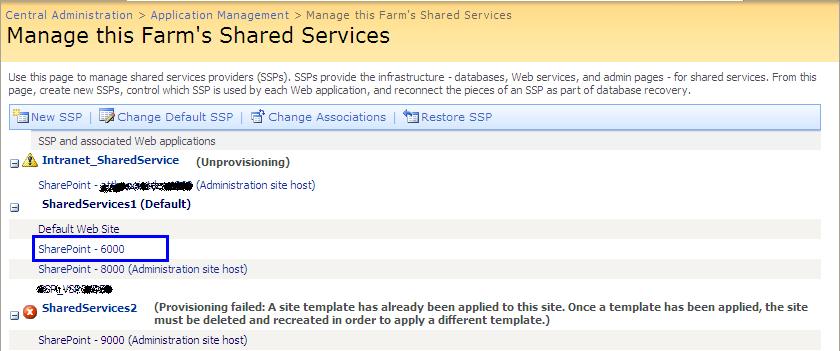
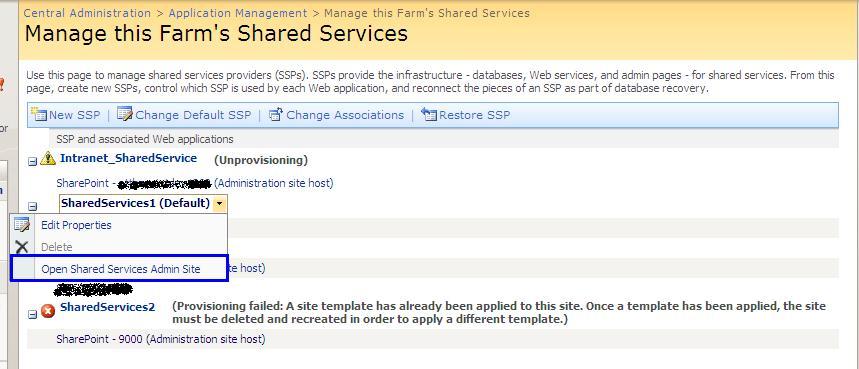
Open the Shared Services Administration Link from the Central Administration page.


In the Manage shared service page select the shared service to which your site for which you need to manage the My Site Link is mapped.In the below fig I am trying to manage My Site Link for Site SharePoint - 6000,So I am selecting the SharedServices1.


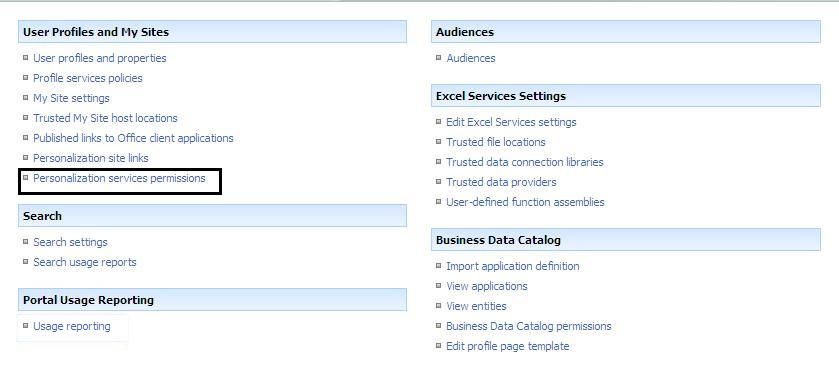
In the Shared Admin page select the link Personalization Services Permissions Link present in the User Profiles and My Sites Section.


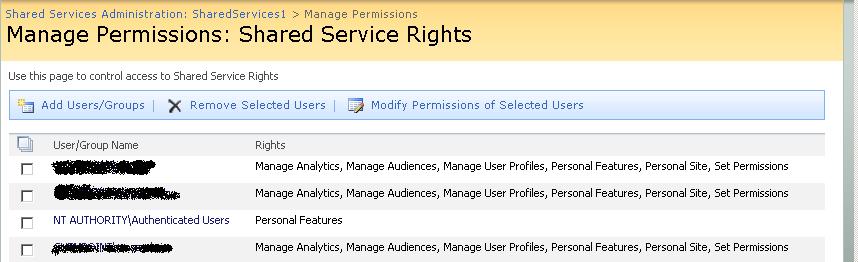
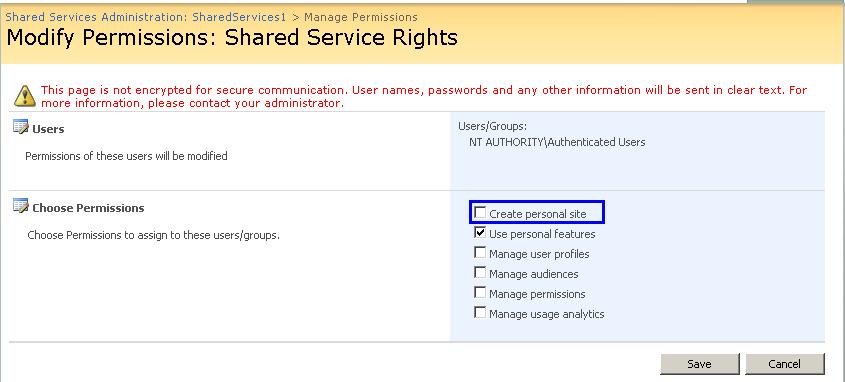
Select the user group for which you want to enable or disable the My Site Link Permission.


Check or Uncheck the Create Personal Site Check box to Manage the Rights